Introduction: This article will guide you through the creation of a function that which we can use to create input controls bypassing all the required data as an argument to the same function.
Prerequisite: HTML, JavaScript.
In this document we have tried to cover one of the usecase of creating a reuseable component. For example if we are creating a select component with 10 options and the code looks like the following
<label>Without Reuseable Component</label>
<select>
<option value="1">1</option>
<option value="2">2</option>
<option value="3">3</option>
<option value="4">4</option>
<option value="5">5</option>
<option value="6">6</option>
<option value="7">7</option>
<option value="8">8</option>
<option value="9">9</option>
<option value="10">10</option>
</select*>
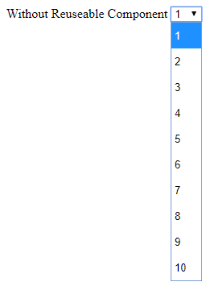
To create a component we should define a function that which will take all the arguments and render the select list and the function is as follows
function inputComponents(object){
		var label_text = '';
		var onchange_text = '';
		var select_id_text = '';
		<!-- check all the arguments passed -->
		if(!object.data){
		}
		if(object.label){
			label_text = object.label;
		}
		if(object.class){
			class_text = object.class;
		}
		if(object.onChange){
			onchange_text = object.onChange;
		}
		if(object.select_id)
			select_id_text = object.select_id;
		<!-- creating label tag	 --<
		label_tag = '<label class="col-sm-4 control-label" for="'+object.id+'">'+label_text+'</label>';
		<!-- create select tag -->
		var selectList = label_tag+'<select class = "col-sm-8 form-control '+class_text+'" id = "'+select_id_text+'" onChange = "'+ onchange_text +'" >';
		<!-- create options tag based on the data -->
		for (var i = 0; i < object.data.length; i++) {
			data_i = object.data[i];
			if(data_i.value){
				value_text = data_i.value;
			}
			else{
				value_text = data_i.display;
			}
			selectList += '<option value = "'+value_text+'">' + data_i.display + '</option>';
		}
		<!-- close the select tag -->
		selectList += "</select>";
		<!-- append the populated select list to html page  -->
		$(object.id).html(selectList);
}
And the function will be as follows
inputComponents({ id: '#select_from_funct',
					data: [{value:'1', display:'1'}, {value:'2', display:'2'}, {value:'3', display:'3'}, {value:'4', display:'4'}, {value:'5', display:'5'}, {value:'6', display:'6'}, {value:'7', display:'7'}, {value:'8', display:'8'}, {value:'9', display:'9'}, {value:'10', display:'10'},
					],
					onChange: 'setFontFamily(this)', label:'With reuseable Component', class:'selectClass', select_id : 'fontFamily_0' });
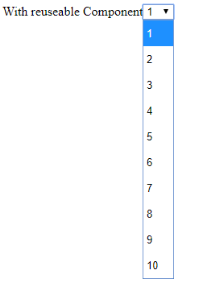
In case if you have any queries please get is at support@helicaltech.com
Thank You
Gagan Manda
Helical IT Solutions Pvt Ltd

Best Open Source Business Intelligence Software Helical Insight Here

A Business Intelligence Framework
Best Open Source Business Intelligence Software Helical Insight is Here